How Email Actually Works
Email is a technology that you use every single day. It is actually very interesting how emails are handled behind the scenes and reach the recipient’s mailbox. In this post I’ll explain it in a simple way.
Basic Terminologies
These are some terms that you must know before reading this post.
- SMTP: Simple Mail Transfer Protocol. A TCP-based communication pattern used to receive and deliver mail.
- Mail Server: A server-side application that receives emails, stores and verifies them and then delivers them to the recipient system.
- MX Record: It is a DNS record that contains the IP address of the mail server.
- MTA: Mail Transfer Agent is a server component that is responsible for transferring email from one server to another (for example, from Gmail Server to Yahoo Server).
- DKIM (Domain Keys Identified Mail) : A concept for authentication.
- DMARC: Domain-based Message Authentication, Reporting, and Conformance. Also used for authentication.
- SPF: Sender Policy Framework. Also an email authentication method.
It's ok if you did not understand any terminology completely. They are discussed in depth later in this post.
TLDR; Overview
This section is just a quick overview of the complete process. Please read the complete post to know what and how each component does its work.
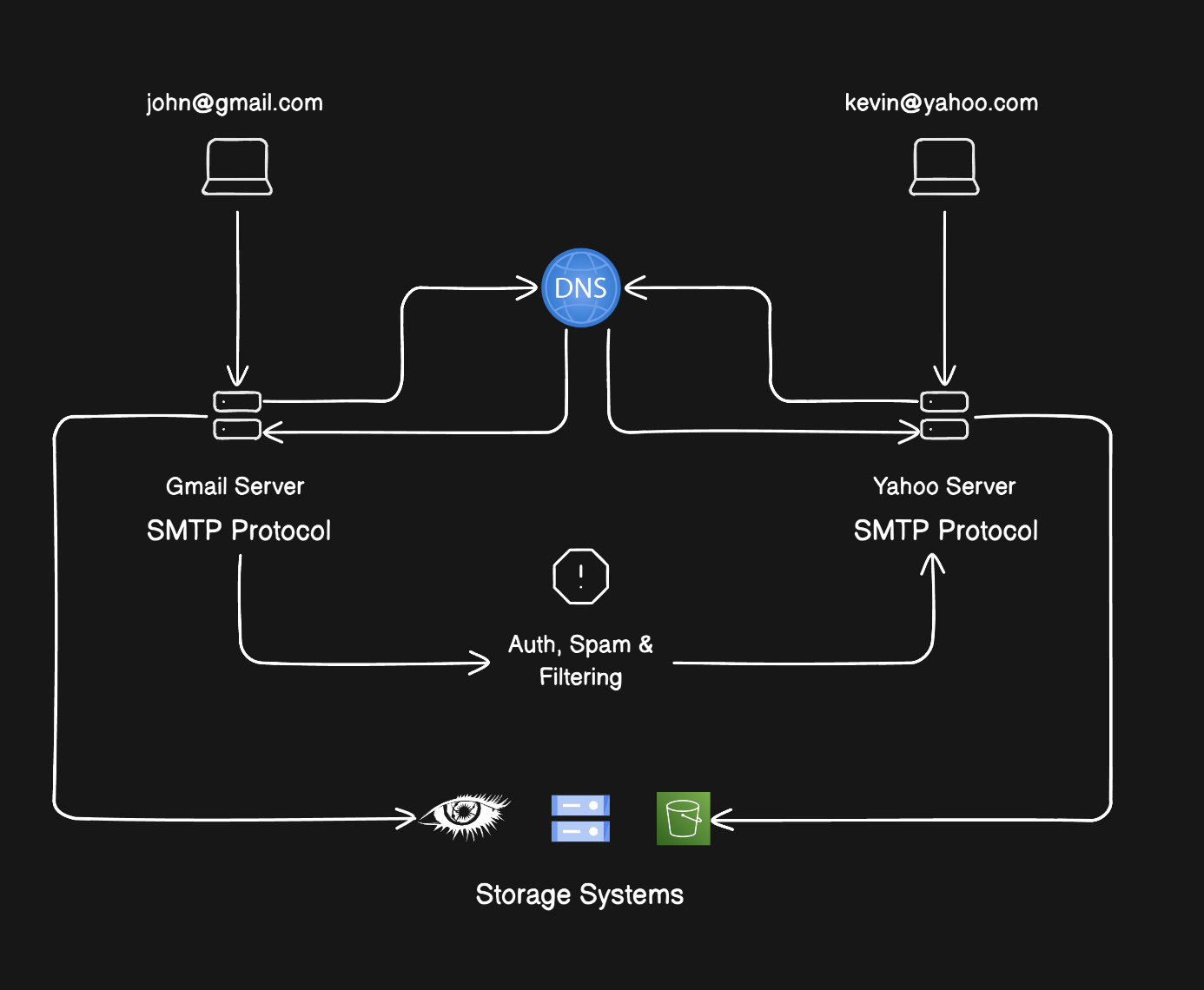
A mail server is server software that accepts, queues, sends and receives emails. If you send email from john@gmail.com to kevin@yahoo.com. The Gmail mail server will accept the mail and send it to the Yahoo Mail server.
Let’s say there are 2 friends who are sending and receiving emails.
- John (john@gmail.com)
- Kevin (kevin@yahoo.com)
John will use the Gmail web client to send an email to Kevin. When “John” hit the send button, the email that he composed via the web client Gmail server was sent. This is done via SMTP Protocol. After the Gmail server receives this email, it is checked for spamming. After that, DKIM, DMARC and SPF did their work related to authentication. If everything works fine and the email is valid, Gmail will find the mail server for Yahoo and transfer John’s mail to the Yahoo mail server.
Why Yahoo? Because the recipient is using Yahoo (kevin@yahoo.com)
Now everything will be handled by the Yahoo Mail Server, and email will be delivered to Kevin’s inbox.
Architectural Diagram
In Depth
Okay, now let’s discuss each step in detail. I would like to mention that I’m writing this post according to the most common way in which mail servers operate. Although different companies have different implementations, the core idea is the same.
SMTP
Simple Mail Transfer Protocol is a protocol that defines how mail is to be sent to a mail server. SMTP operates on port 25, so you can connect with the telnet tool. The below screenshot shows you the output you got when connected to the Gmail mail server.
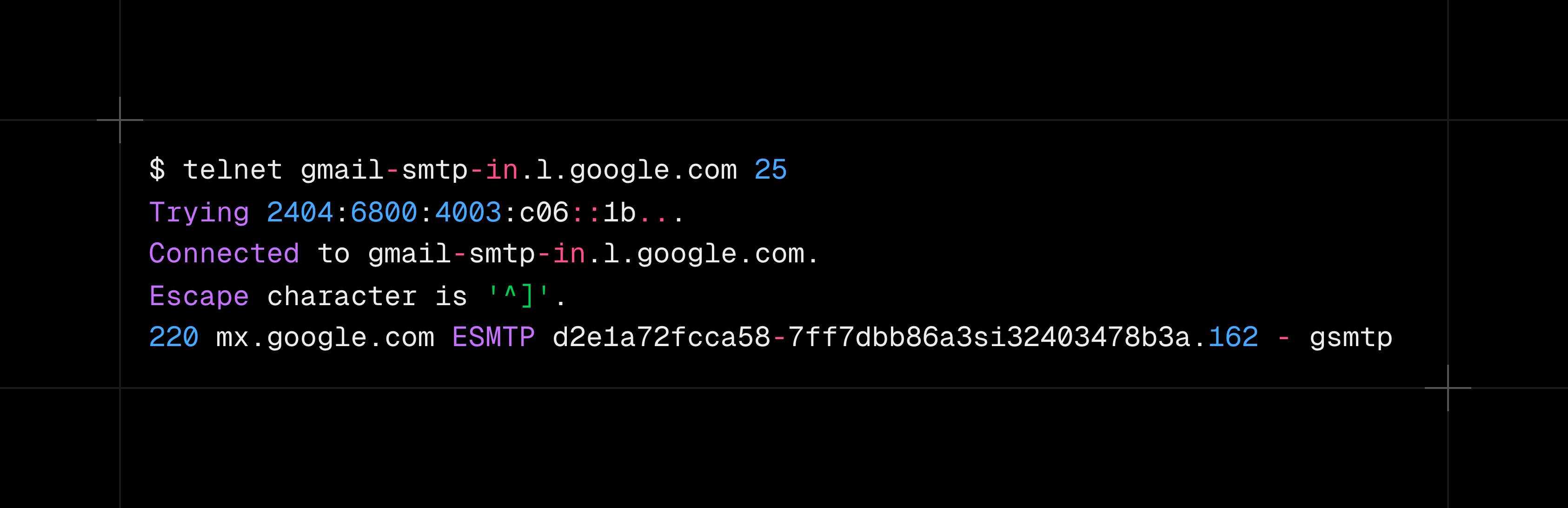
Than we can send following commands to mail server:
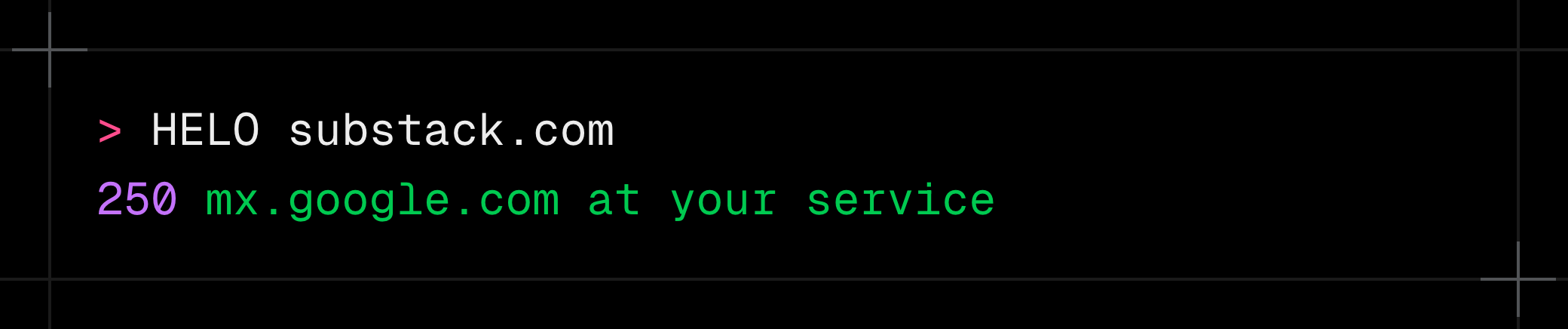
HELO / EHLO
It is used to introduce yourself to the mail server. In response, the mail server will send you greetings.
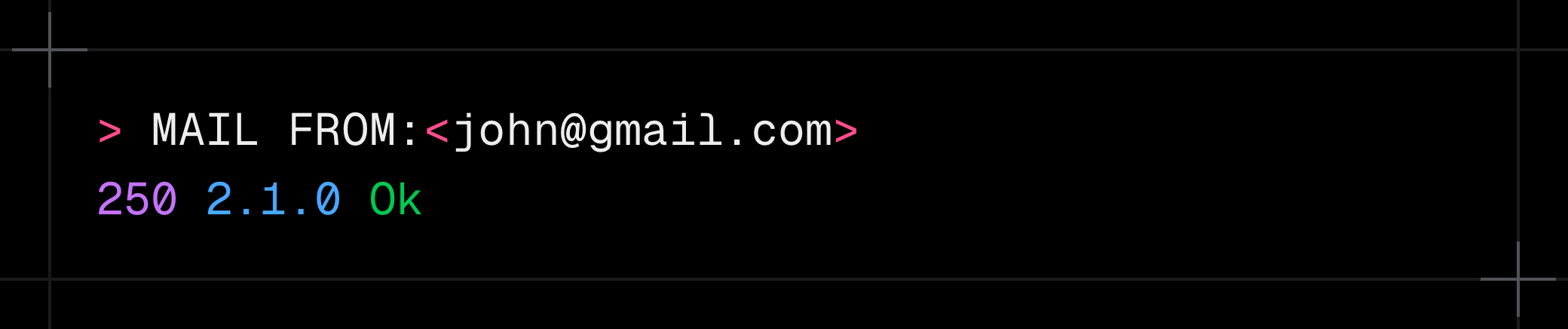
MAIL FROM
Tells who is sending mail. In response, the mail server will send you an OK response with 250 2.1.0 OK.
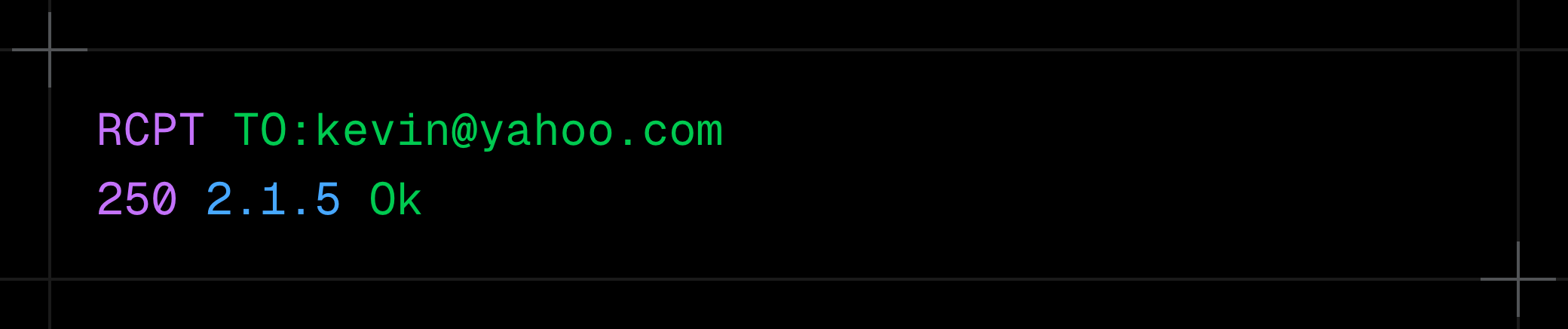
RCPT TO
Similarly, you will tell the mail server whom to send this mail to. In response, the mail server will again send ‘Ok’.
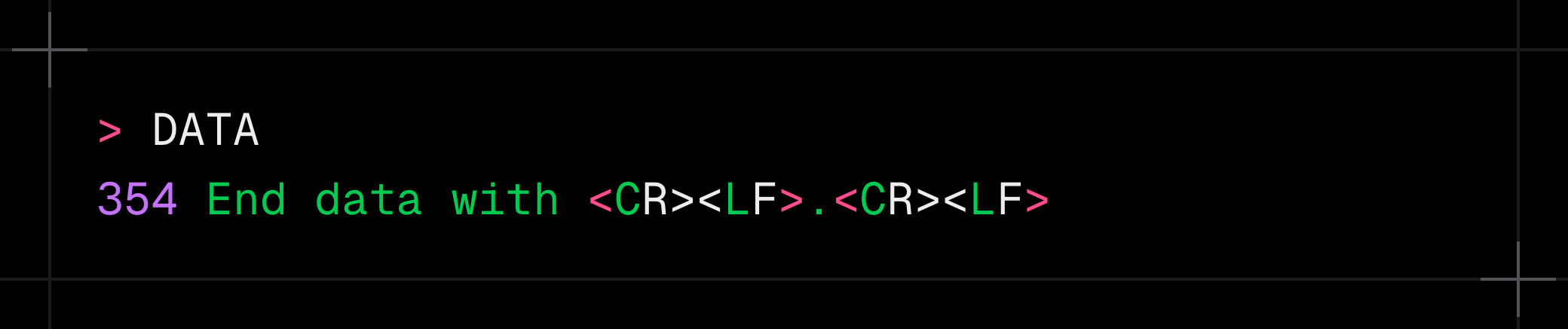
DATA
Server tells client to start sending message body.
Then you send actual email data.
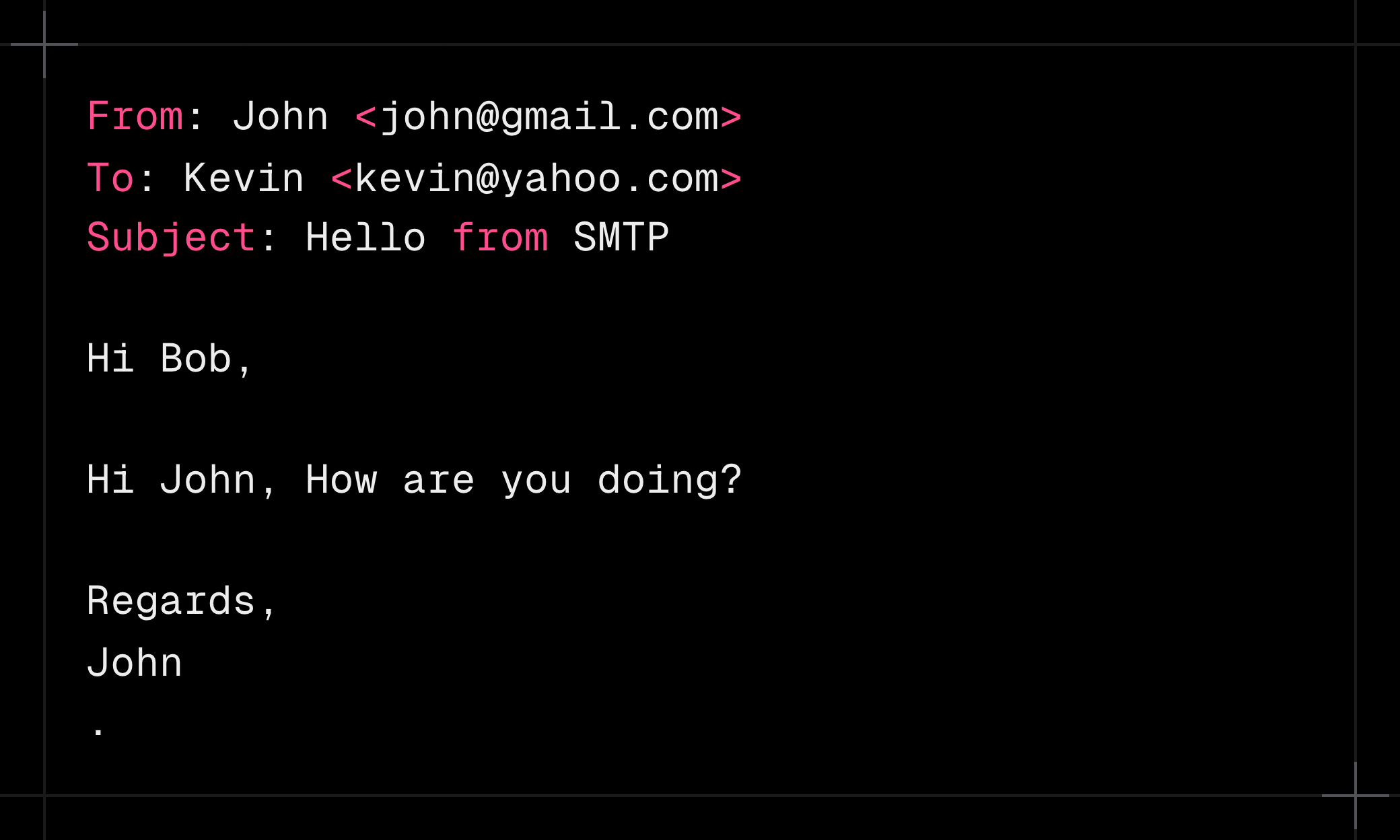
The
.on a line by itself means “end of message”. In response server will send Accepted (Ok) response.
QUIT
Saying Bye Bye to mail server.
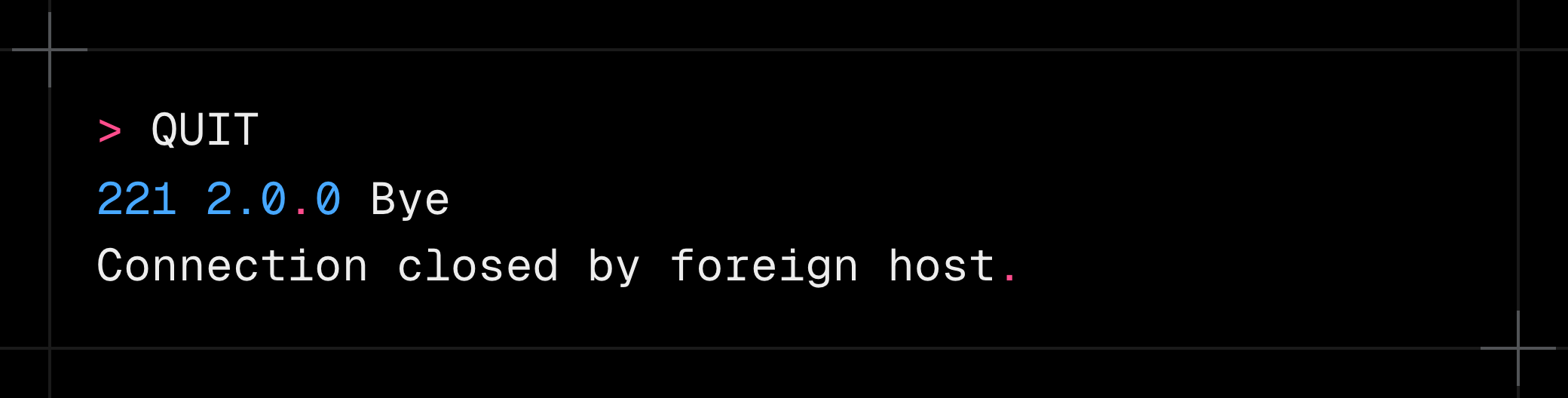
This was how we send email to mail server via SMTP protocol. Let’s discuss how email will be handled from here.
Storage
Email is now stored in the Gmail server, and the server will extract metadata from it. Metadata include FROM, TO, etc.
Some mail servers store mail directly in the filesystem, and others use distributed object storage such as AWS S3.
Queuing
If you notice that when our mail is accepted via the SMTP mail server, it replies with “queued” instead of “sent”. Because emails are received in large volume, they can’t be sent instantly. So mail servers queue them and send them one by one. In case of any error, an email can be sent to the delayed queue for retrying in the future.
DNS & DNS Record
In order to send emails, we need a domain name (the part after the @ in a mail address). At the end every server is just an IP, but it is hard to remember that IP. So DNS is introduced.
DNS (Domain Name System) converts domain names, e.g., gmail.com, to their IP address. That’s why you see that we can connect using telnet <DOMAIN> and telnet <IP> as well.
A DNS record is an entry published to the domain name system that contains some data which can be seen by the internet. Remember this, as we will use this in email authentication.
MX Record
Earlier I said that mail servers work by transferring mail to each other via SMTP connection, which works by connecting to TCP on port 25.
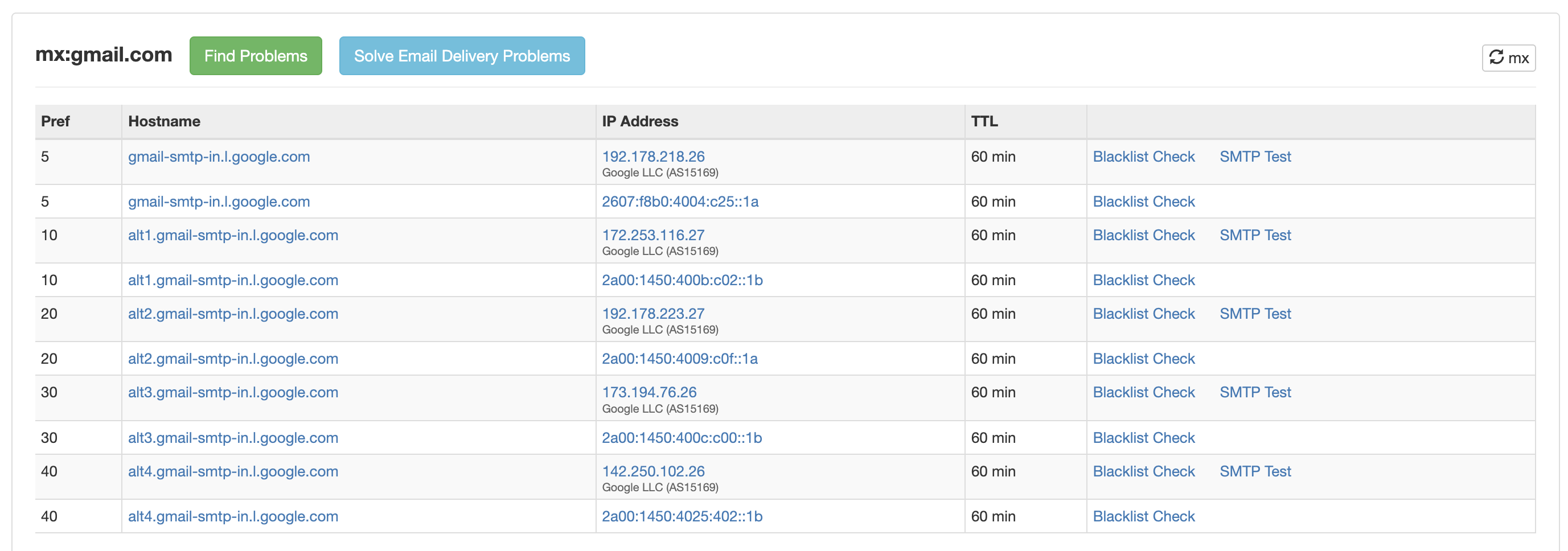
But how do these mail servers know which IP address or domain name to send emails to? This is where MX Record comes into play. Every domain publishes an MX Record in DNS, which is queried by other mail servers.
You can check the MX Record for any domain here.
And here are Gmail mail server domains.
Authentication
We just queued an email to a mail server, but it did not require any authentication. So how did authentication work? This is where DKIM & SPF come into play.
DKIM
It is a public & private key-based authentication technique. It works by signing an email with a DKIM signature on the sender side and verifying it on the receiver side. In our case the sender is the Gmail server, and the receiver is the Yahoo server.
An email is sent to Gmail via SMTP.
Gmail stores that email somewhere.
Gmail will hash the email header and body with a private encryption key and add a DKIM-Signature header to the email. This header looks like the image below.
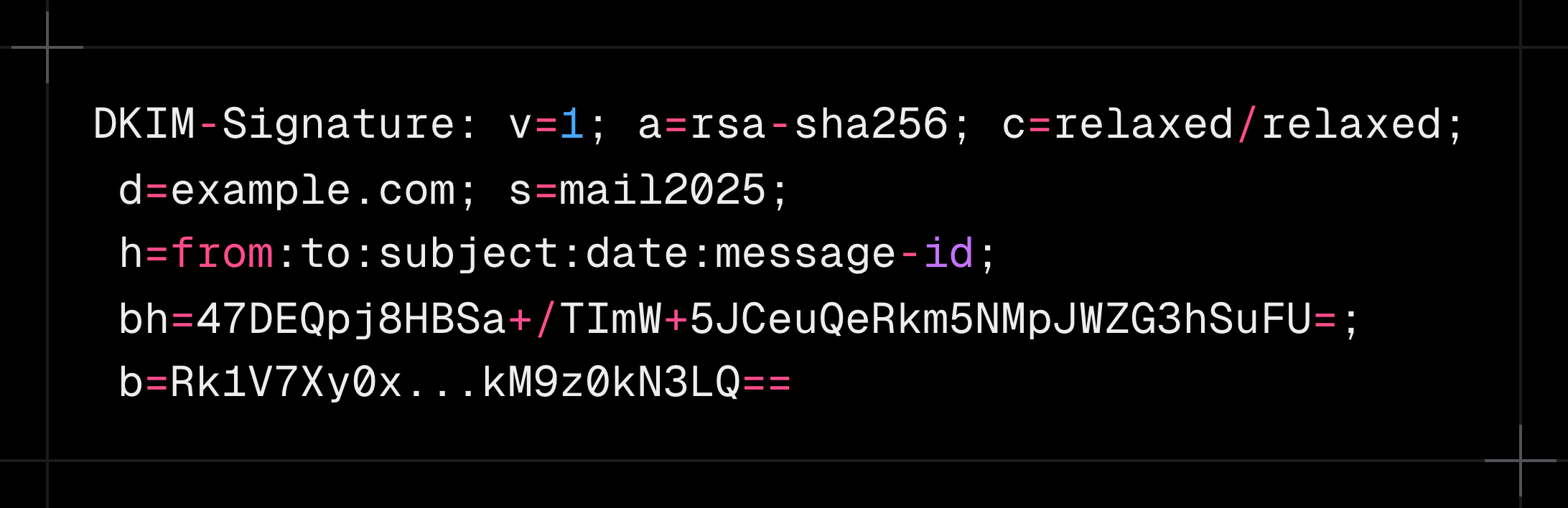
When this email is sent to the receiver mail server, the receiver mail server will verify the hash (”bh” value) with the public key.
If verification fails, email will not be delivered.
But how does the receiver know the sender’s public key?
This is where DNS records come into play. The sender domain (gmail.com in our example) must publish a DNS record with a public key and selector. The selector is used to know which public key to use in case the mail server has multiple.
The image below shows a DKIM public key DNS record.

So yahoo mail server will query DNS records for gmail.com and get this public key.
SPF
This authentication happens on the receiver side. This tells the mail server if this IP address is allowed to send mail for this domain.
When Gmail transfers the john@gmail.com email to kevin@yahoo.com, it will need to again open an SMTP connection to the Yahoo Mail Server. At this time Yahoo knows from which IP the email is coming (which is the Gmail IP).
Yahoo will extract the recipient email and then the domain name (gmail.com in our case). Again, it will query the DNS record for Gmail and search for an SPF record that looks like the below image.

There will be several IPs mentioned there. If the IP that is used to send email to Yahoo is present in this record, the email will be accepted; else, it will be rejected or marked as spam.
DMARC
It is not an authentication method; instead, it is a policy that tells what to do if DKIM or SPF fails.
It happens on the receiver mail server and follows the same steps. Query sender DNS for DMARC record, and based on policy, either reject mail or mark as spam when DKIM or SPF fails.
Final Step
Now at this point, if every step is passed, Yahoo Mail Server will store this email in a storage that I don’t know. They might be using a filesystem or distributed storage. Who knows!
How we see e-mail?
This question might come to your mind. How we see email that is stored in the mail server. This is where two other protocols and a GUI client are used.
The recipient’s mail client fetches mail via:
- IMAP (sync mailbox)
- POP3 (download mail)
These protocols are not part of this post; that’s why I’ll not be going to discuss them here.
More Content
Here are some more posts from my blog in case if you find something interesting.
 Sushant Dhiman
 Sushant Dhiman
 Sushant Dhiman